Introducing ArtisticGUI
How many times did you have to compromise on your original UX design? How frequently were those compromises required due to the limitations of the underlying technology? What if that technology could have been replaced with something more capable of supporting your ideas and concepts?
I used the term technology for simplicity, but in reality, what was limiting your designs was most likely a software framework: a platform serving as foundation for producing software applications.
Why do software frameworks exist if they can introduce such limitations?
The answer is found in the cost of producing software applications from scratch, which is typically very high. A software framework can help to reduce such costs by providing a functionality base that covers the most generic features of the application, thereby avoiding the need to start from scratch.
A software framework can also dramatically reduce the cost of repeating tasks by favoring componentization and reuse of code.
So, yes, software frameworks can be quite useful.
Software frameworks can be especially useful in large companies that produce many applications for internal use because, as you might expect, they can help a lot in keeping things within budget, but they can also guarantee design consistency across the suite of applications being produced, even flattening the users’ learning curve.
I have been making software for over three decades, and software frameworks have been the backbone of the projects I have worked on for at least the last two. I have also seen companies move away from third-party software frameworks, whether commercial or open source, and instead develop their own. I suggested the move and assisted in making it happen on a few occasions because proprietary software frameworks have the potential to eliminate every disadvantage of using frameworks.
Third-party frameworks are intended to be as generic as possible, regardless of application domain. As a result, they tend to cause code bloating, which has a negative impact on the size, performance, and maintenance costs of the applications built on top of them.
Extending third-party frameworks, whenever possible, almost certainly renders the applications incompatible with future framework updates.
All of these disadvantages, as well as others that I have not mentioned for brevity, can be avoided, or at least mitigated by developing the framework internally.
Introducing ArtisticGUI
Given my background and ideas, it should come as no surprise that I create my own software frameworks to support my applications.
The rest of this story is dedicated to introducing ArtisticGUI, the graphical software framework that powers the three applications that I use in my ASL articles to provide concrete examples.
On the name:
While the term Graphical User Interface (GUI) alludes to the approach of emphasizing the use of icons and other graphical components over label and text, I used the word “artistic” to support my beliefs that creating software can be considered a form of art.
UX-Oriented
I designed ArtisticGUI to be UX-oriented. What does it mean? In practice, this means that I embedded logic, designs, patterns, and components in it with the goal of providing a consistent user experience across all applications built on top of it.
The most hidden and important responsibility in designing software frameworks is modelling the way things are done. By providing a template for future applications, the framework determines what is “the way” in a Mandalorian’s sense.
ArtisticGUI’s way is based on implementing a number of systemic features that have an impact on every component now present in the framework as well as any future additions.
Colorization is a systemic feature that can visually demonstrate the type of user experience supported by the framework as well as how it affects every application built on top of it.
Colorization
The beauty of colors has always captivated me. They can have a significant impact on how a user perceives an application, and the user should be able to select the color scheme of an application quickly and easily. Similarly, developers and designers should be able to add new color schemes to the framework at very little cost.
A color scheme should be based on a complete palette rather than just a few accent colors, and it should affect every aspect of every visual component in the framework.
Enter the systemic colorization feature.
ArtisticGUI enables the creation of color schemes, each of which consists of a 16-color palette plus 32 shades generated algorithmically from a single color (monochromatic color scheme) or two colors (bi-chromatic color scheme). To obtain variations of the same color scheme, the default color scheme generation algorithm can be replaced by another eight different algorithms.
As a result, the system has a unique approach to color management in its applications, which you can see in the three animated GIFs below, one for each of the applications that I built on top of my frameworks (the front-end one being ArtisticGUI).
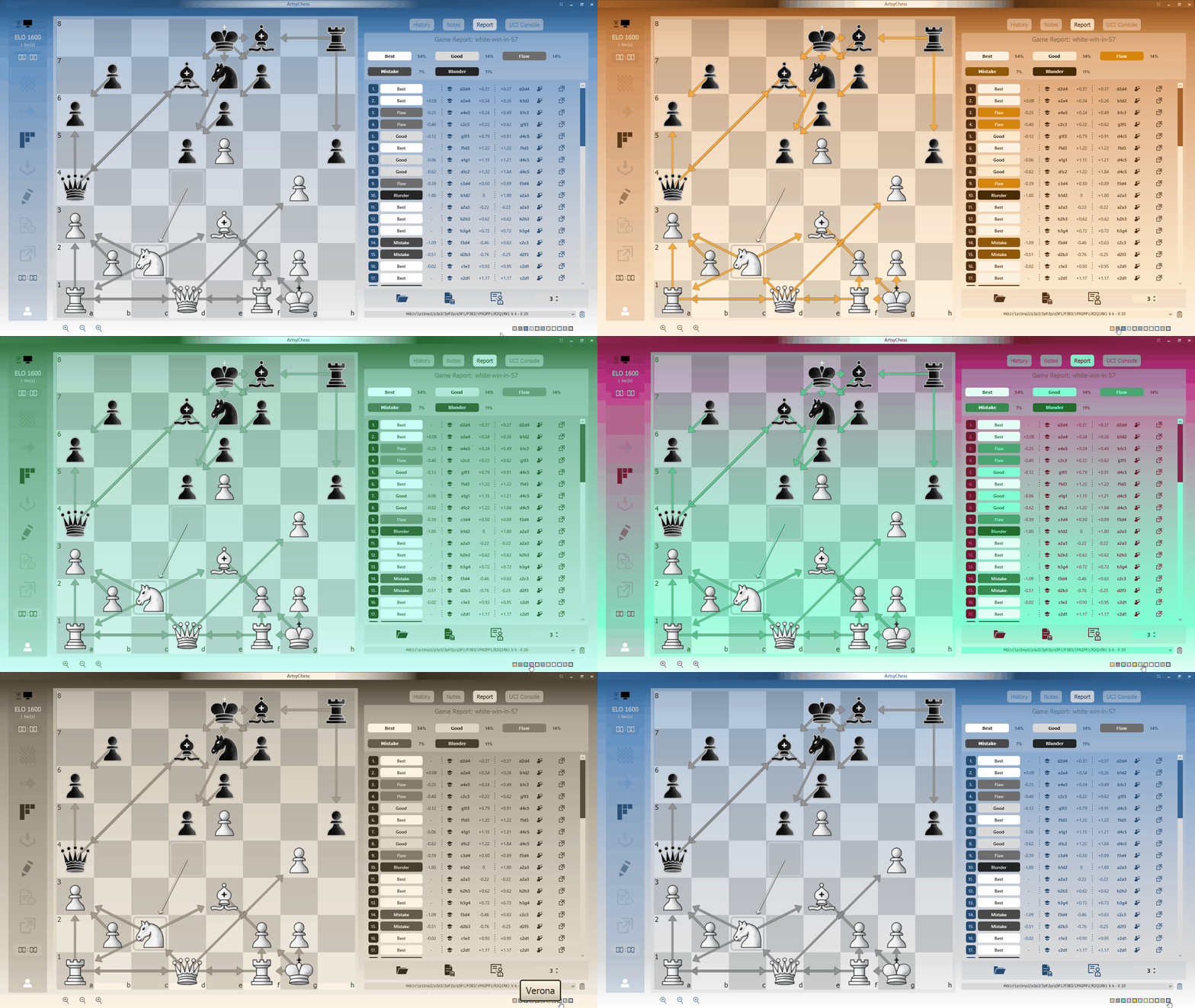
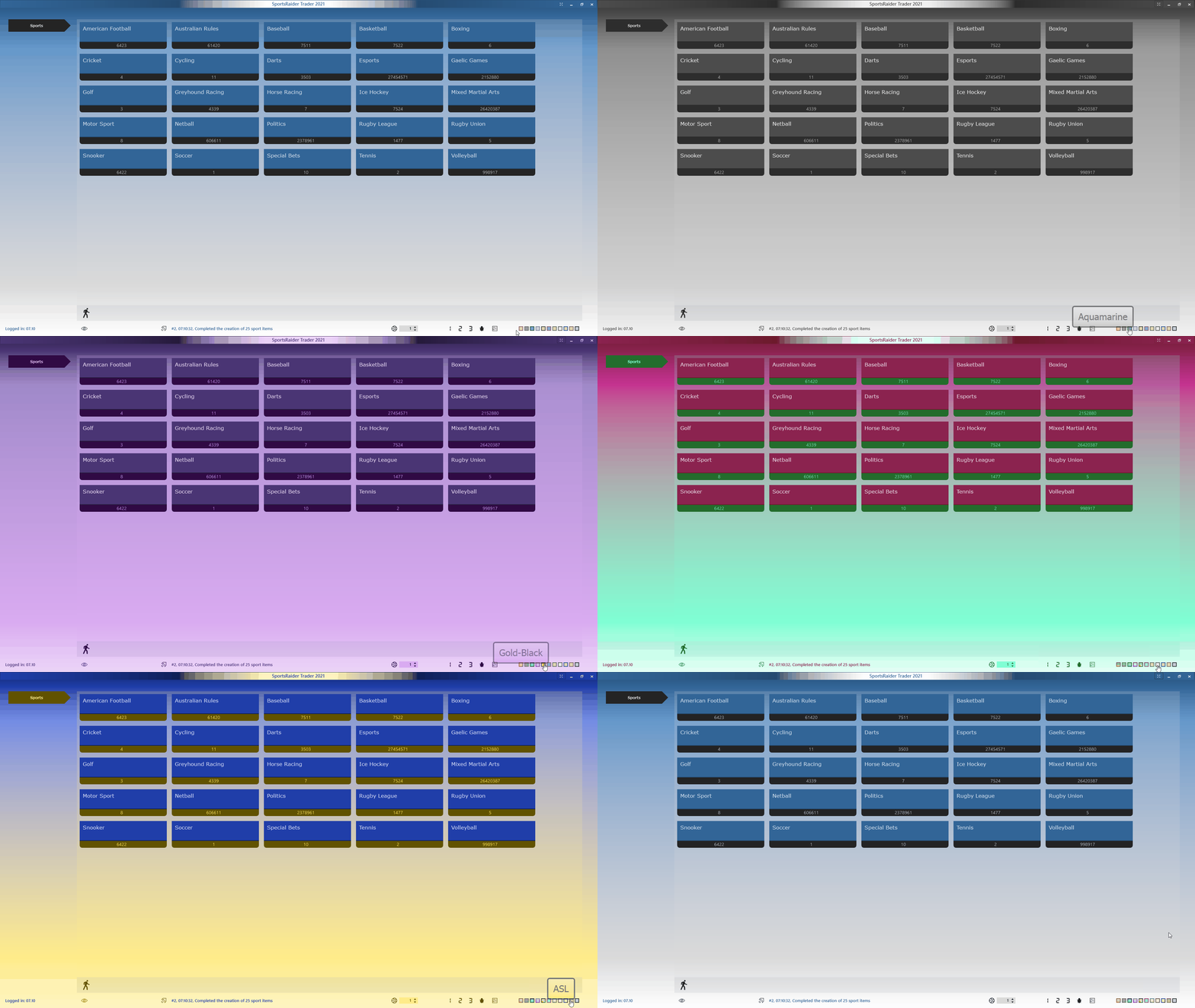
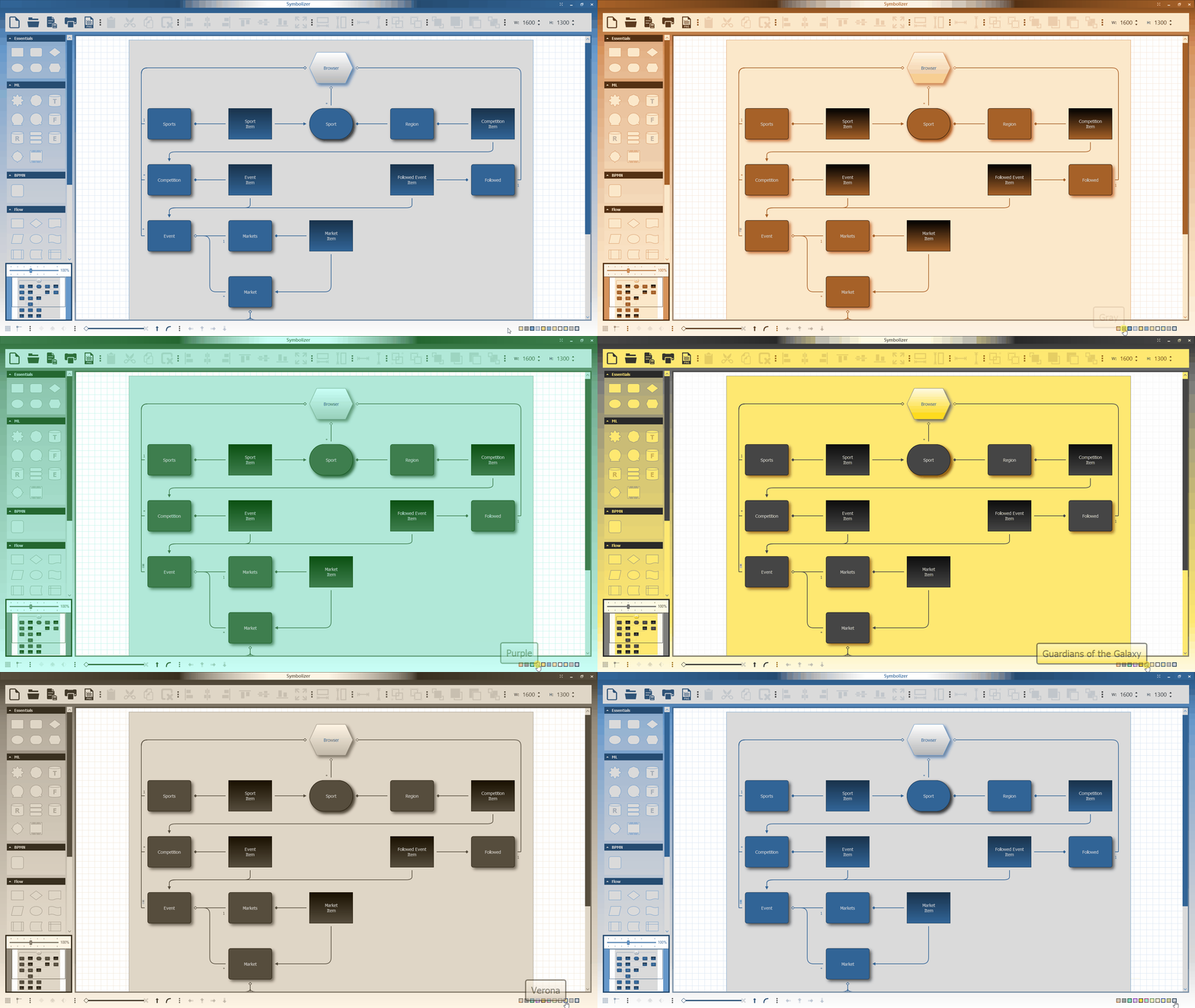
Please keep in mind that the above examples were saved as animated GIFs, which resulted in significant color loss. Nonetheless, the animations provide a useful preview of how colorization can affect an application and how the user experience when selecting a color scheme is consistent across all three applications. The video below, which I made a while ago, offers better color resolution while also demonstrating another systemic feature: the full-screen option.
Excluding from colorization
ArtsyChess demonstrates the framework’s ability to exclude specific visual elements from colorization if necessary. It definitely improves clarity to keep the chess pieces and any other visual references to the antagonists in immutable white and black tints while all other visual elements are colorized according to the color scheme chosen.
Conclusion
Aside from colorization, ArtisticGUI includes many other features to help designers create consistent and pleasant user experiences across multiple applications, such as gradients, transparency, responsive animations, a robust set of components, and more. The framework is proprietary, and it will remain so even if it is made commercially available as part of the services I provide as a software producer. Contact me, if you are interested in an in-depth review of its capabilities.
All for now.