Designing for the user
Welcome to the fourth episode of ASL. In this episode, I will describe the creative process that went into creating a user interface that allows the user to discover events that are currently available on a betting exchange as well as quickly access periodic events of interest without having to discover them.
SIDEBAR: A betting exchange is a marketplace where people can speculate on the outcome of discrete events by purchasing or selling a selection. Buying a selection is equivalent to betting that it will win, whereas selling it is equivalent to betting that it will lose. At its most basic, the ability to buy and sell the same selection multiple times and at different prices is what enables the trading process, which, like any other trading activity, can result in a profit or a loss depending on the direction of the fluctuation.
I will use a custom graphical notation that I have specifically defined for the task at hand because it can help to capture and represent a rather complex navigation in UX/UI terms through progressive refinements, facilitating the identification of the components to be added to the underlying framework (ArtisticGUI) to support the implementation of the chosen architecture (MDI).
Boxes inside boxes
Every betting exchange groups events within categories that are in turn grouped within other categories and so on. Furthermore, events are containers for markets, which are containers for selections (also known as runners), which are the bet targets. And this is only a brief overview of what is essentially the equivalent of boxes containing other boxes, and so on. How do you navigate something like that with ease?
The importance of early abstractions
The ability to define early abstractions that conveniently capture the functional essence of the software you are about to create is one of the most important aspects of successful software development.
Defining powerful abstractions requires experience, but there are at least two actions you can take to help build your own experience:
- Investigate the problem domain
- Put yourself in the shoes of the user.
The more research you conduct, the more you will be able to see the underlying workflow from the perspective of the user, and the better the abstractions you will come up with when beginning to design the solution.
In the case of SportsRaider Trader, the early abstractions that were crucial in defining the app navigation were:
- Containerization
- Discovery
- Specific Interests
Containerization
I have already mentioned why containerization is important in the domain under consideration: the logical entities exposed by a betting exchange are accessed via nested structures in which certain entities logically contain other entities, and so on.
Discovery
When sporting events occur, the betting exchange can propose markets related to those events. As a result, users may need to search the entire betting exchange offering to discover new events.
Specific Interests
Some users may have specific interests. They may be interested in only one sport (for example, football), and within that sport, they may be interested in only one country (for example, the United Kingdom), and within that country, they may be interested only in one competition (Premier League, for example). Users with specific interests may find it inconvenient to have to browse from the root of the betting exchange hierarchy each time they want to discover new events related to their specific interests. A user-oriented navigation should provide a mechanism for directly navigating toward specific interests.
Introducing a custom graphical notation
Armed with knowledge of the problem domain, knowledge of its users, and a proper definition of the early abstractions, I proceeded to define a custom graphical notation that would aid me in capturing the app navigation from a logical standpoint (i.e., UX navigation).
Using such notation, I created the diagram below, which describes the logic behind what became SportsRaider Trader’s navigation.

Readers may recall that I first mentioned this diagram in an earlier episode of ASL, promising to explain it in a later episode. Let me explain it now by first defining the custom graphical notation that was used to create it.
MDIN — a notation for describing MDI navigations
At this point in the design process, I was already aware that a Multi-Document Interface (MDI) approach would have been an excellent choice for implementing SportsRaider Trader’s navigation: the containerization abstraction begged for it, it would have made the process of discovery very intuitive for the users, and it would have been simple to support their specific interests.
All I needed was a custom graphical notation to help me capture the logic of the navigation itself. Entering MDIN (“MDI Notation”, as I named it).
At the time of writing, MDIN consists of only four symbols and three relationships. Let us go over the semantics of each symbol and relationship one by one.
Symbols
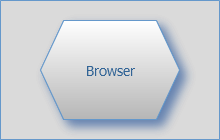
The root container symbol represents a singleton: in the diagram, there is only one root container instance. Its inclusion in the diagram is required to show how the other containers relate to the main document of the MDI navigation being described.
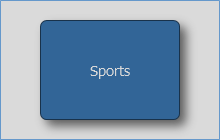
A typical MDI navigation will contain multiple items container instances. An items container symbol represents a container of items (links) to documents of a specific type.
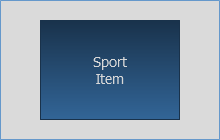
An item symbol represents a link to the content of a particular document.
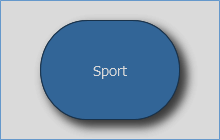
My understanding of the problem domain led to the convenience of a containers’ container symbol. A containers’ container symbol allows you to wrap a contained abstraction around a container, which might be useful in more complex scenarios, like when a collection of items needs to be distributed across multiple items container instances, for example.
Relationships
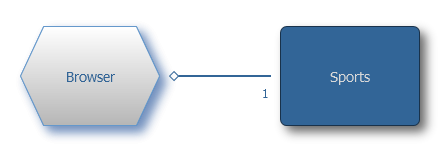
A Handle relationship is represented by a solid line with an empty diamond on the container end and either 1 or an asterisk on the contained end. The number 1 on the contained end indicates that it is a singleton, generating only one specific handle, whereas the asterisk indicates that there may be multiple instances of the document type, thus generating multiple handles.
The Handle relationship in the preceding example tells us that the user will find a handle to the Sports document in the Browser and that the Sports document is a singleton, so there will always be only one handle referring to it.
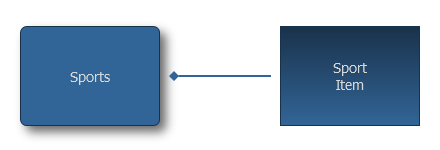
An Itemized relationship is represented by a solid line with a filled diamond on the container end. The purpose of this relationship is to capture the type of documents that are associated with the items included in the container.
The Itemized relationship in the preceding example tells us that the Sports document contains items associated with Sport document instances.
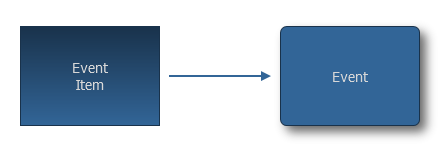
A Linked relationship is represented with a solid line with an arrow pointing at a document instance and captures the fact that items and document instances are linked.
The Linked relationship in the preceding example tells us that an Event Item is linked to an Event document instance (and the symbol used for the Event document instance tells us that the Event document instance is an Items Container itself).
Diagram fragments and concrete examples
We can return to the first diagram introduced and examine it fragment by fragment after having explained the custom graphical notation in use. While the symbols’ positions may have been rearranged to facilitate reading of the fragment itself, the connections between symbols that capture the relationships between them remain exactly the same.
Browser level
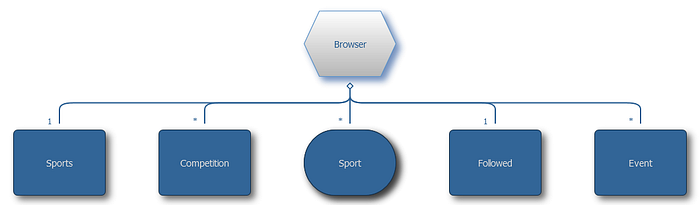
The Browser level is the highest level of navigation, hence the use of the root symbol to represent it. The diagram fragment above, which rearranged the symbols’ positions for visual convenience, shows six handle relationships emanating from the root (labelled as the Browser).
The fragment above tells us that at the topmost level the user can find:
- The handle of 1 Sports document
- Any number of handles of Competition documents
- Any number of handles of Sport documents
- The handle of 1 Followed document
- Any number of handles of Event documents
Below you can find a concrete example of the preceding logic. The application shows four handles in the top-left corner. These are the Browser level handles.
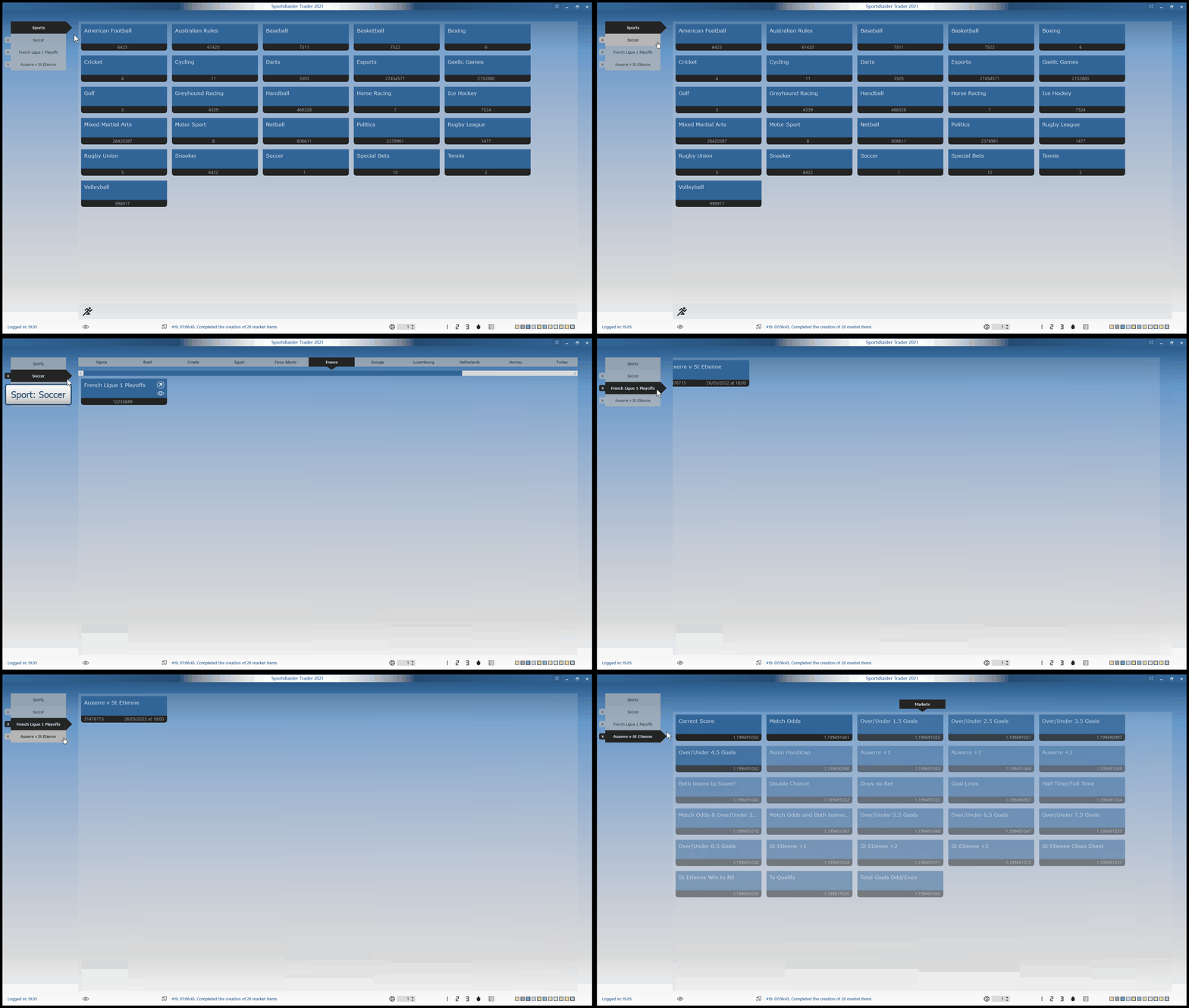
The user navigates through four different types of documents by clicking on those four handles: a concrete example of an MDI implementation emerging from the UX experience designed using a custom graphic notation.
The diagram fragments that follow provide additional information about the original diagram as well as more concrete examples.
Event level
Because the Event document is the first example of nested documents, the diagram fragment below is referred to as the Event level.
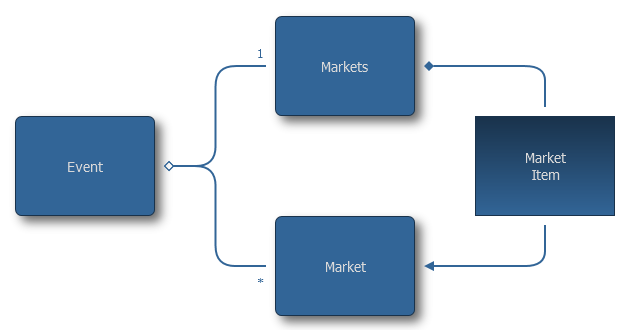
According to the diagram fragment above, there is at least one handle of the singleton Markets document within the Event document, and there may be additional handles, each associated with a specific Market document.
Selecting a Market Item from the Markets document will open a specific Market document or navigate to already opened one if available.
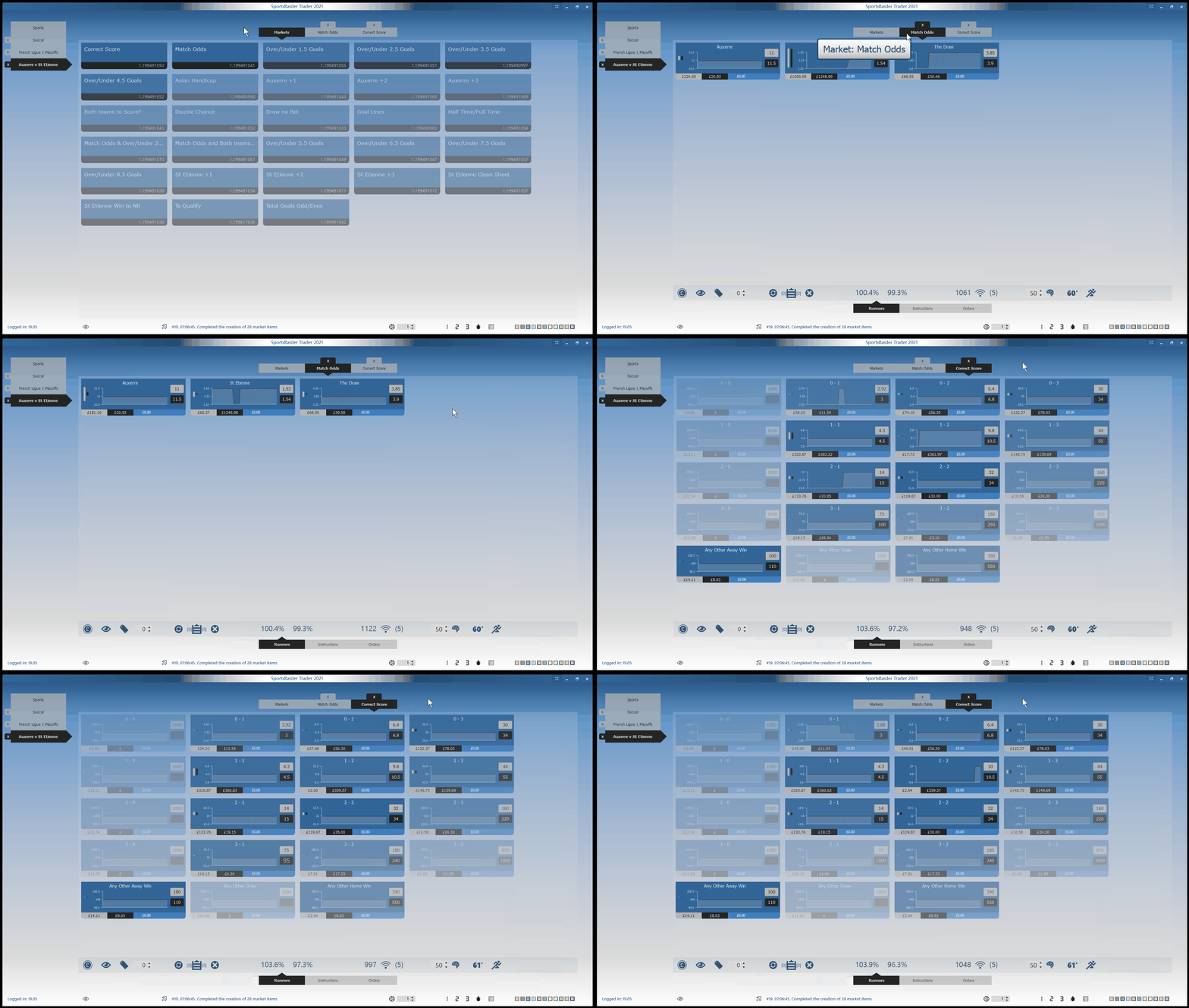
The concrete example above illustrates how the user can navigate to two previously opened markets as well as the Markets document itself within the scope of Event document that contains all three of them (Event level).
Containers’ container example
I previously mentioned introducing the containers’ container symbol to implement slightly more complex scenarios. One of them is depicted in the diagram fragment below.

In the preceding example, using an Items Container symbol for the Sport document would not have been the best solution. If I had, I would have implied that the Sport document would have been immediately filled with Competition items, which would not have been the best option for the user.
For a variety of reasons, Competition items should be more conveniently grouped according to the region (usually the country) to which they belong (facilitate the discovery process, regulations might be country specific, et cetera).
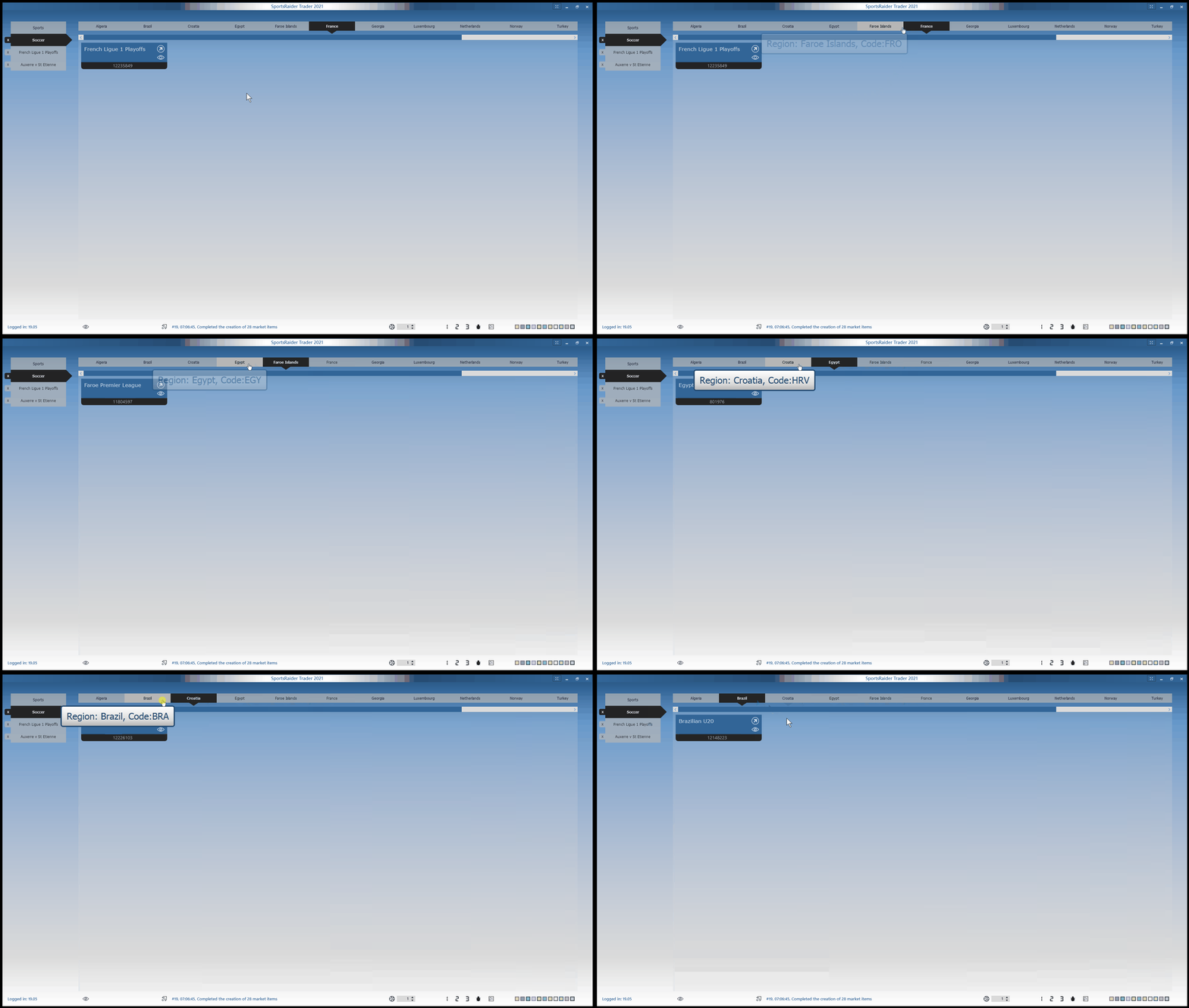
This implies that a Sports document should include a dynamically defined set of documents, one for each region with content at the time of browsing. As a result, because the Region document contains Competition items, it is represented by an Items Container symbol.
The symbol Containers’ Container allows us to express in the diagram exactly what the name implies: that the Sports document is a container of containers (and that its handles are generated dynamically by grouping the eventual items based on one of their attributes — the region in the considered example).
The concrete example below shows how the UI was designed and implemented in this particular case.
Dual navigation example
The discovery process, as implemented through the browsing functionality, was only one of two primary navigation options to be made available to the user.
The reader may recall that the second option must provide a means of directly accessing the user’s specific interests.
Entering the diagram fragment below, illustrating how I deal with this duality in designing the UX.
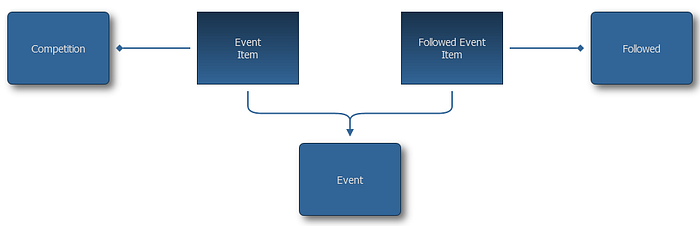
The diagram fragment above portrays how an Event document can be reached via two types of items: an Event Item (included in a Competition document) or a Followed Event Item (included in a special document called Followed).
The concrete example below shows how the interface provides a command (in the status bar, at the bottom of the screen) to open the Followed document, which contains the Followed Event Items.
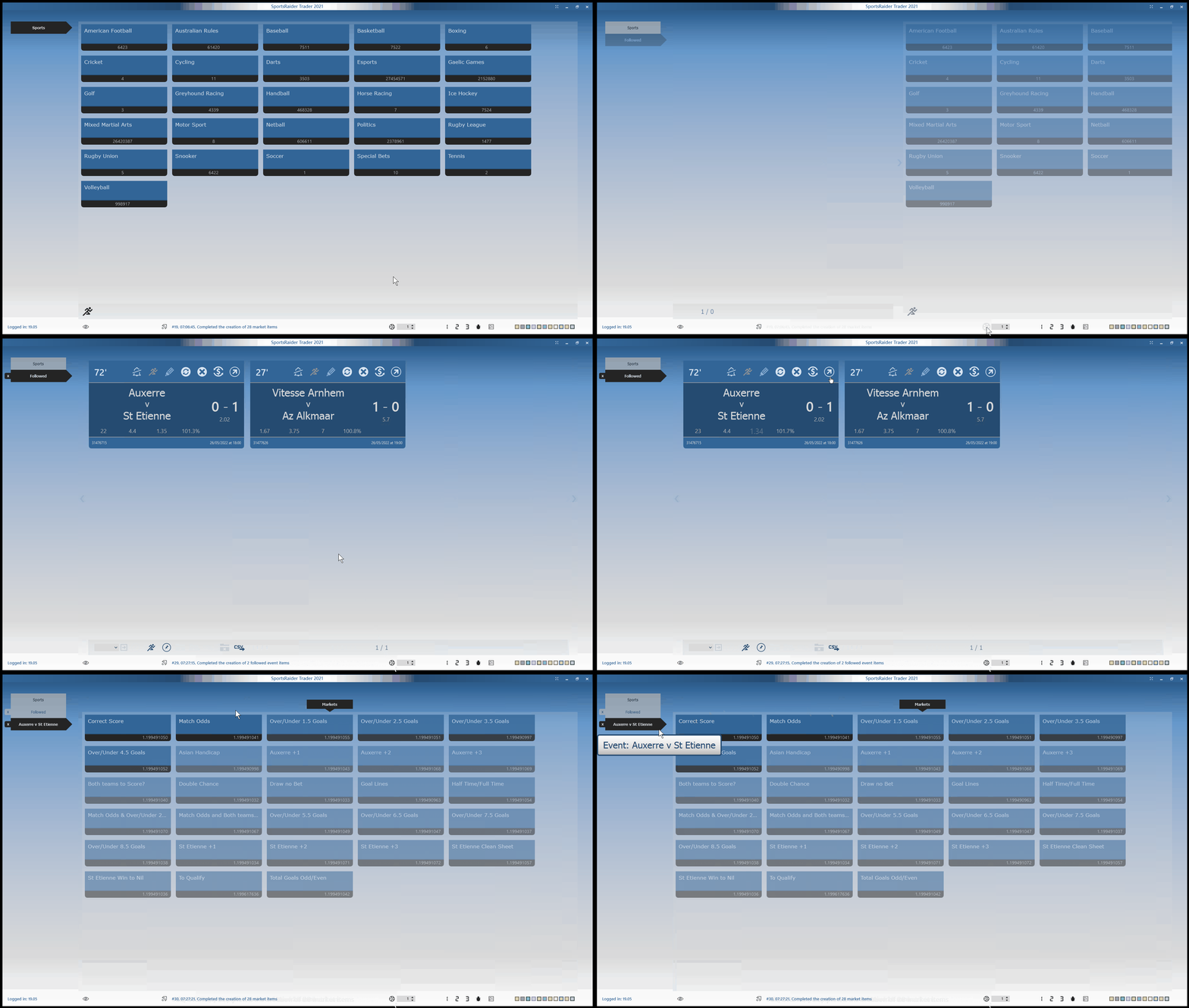
The Followed document is a singleton that tracks a user’s specific interest and, when opened, displays all the followed events that are currently available on the exchange and will go live within the next x hours (whereas x is a parameter chosen by the user, set to 1 as default).
The implementation of Followed Event Items within the Followed document is more functional to the specific sport and the live nature of the event itself. However, they eventually open the same Event documents that Event Items within a Competition document would.
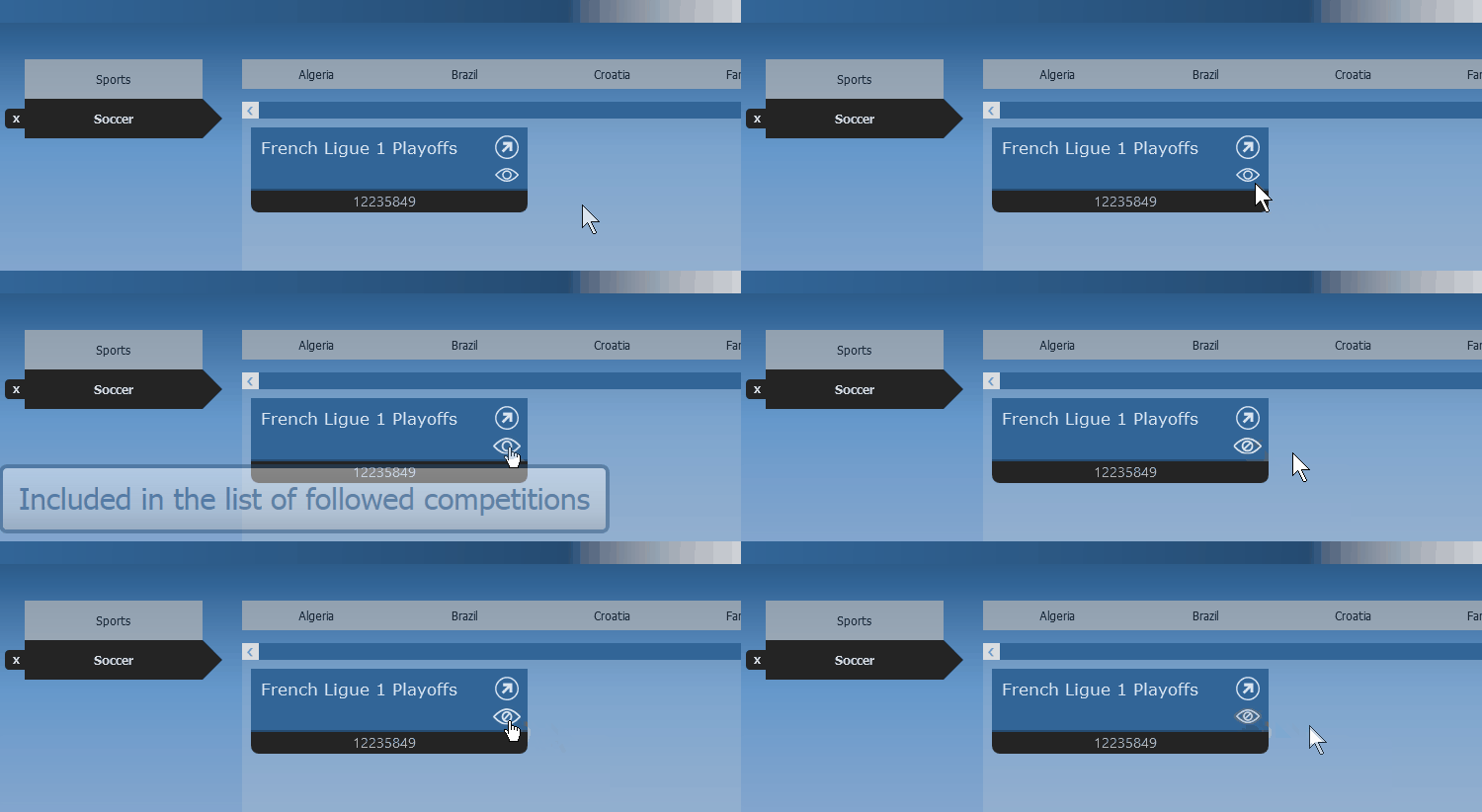
In the preceding concrete example, we can see how the user can express interest in a specific competition and request that its events be automatically added to the Followed document, or how the user can undo a previously declared interest.
This episode advanced my initial goal of sharing the big picture of how complex software is produced by reusing several concepts and ideas introduced earlier in ASL.
It provided a comprehensive example of how to conveniently navigate between levels of abstraction, from a UX navigation describing the design of a user experience to a UI navigation concretely implementing it.
Readers who have stayed with me this far may enjoy going back to the main diagram introduced at the beginning of this article and revisiting it with their minds.
All for now.